Tabs with jQuery
jQuery UI Tab Widget allows the easy creation of tabs from simple markup.
With JS and CSS: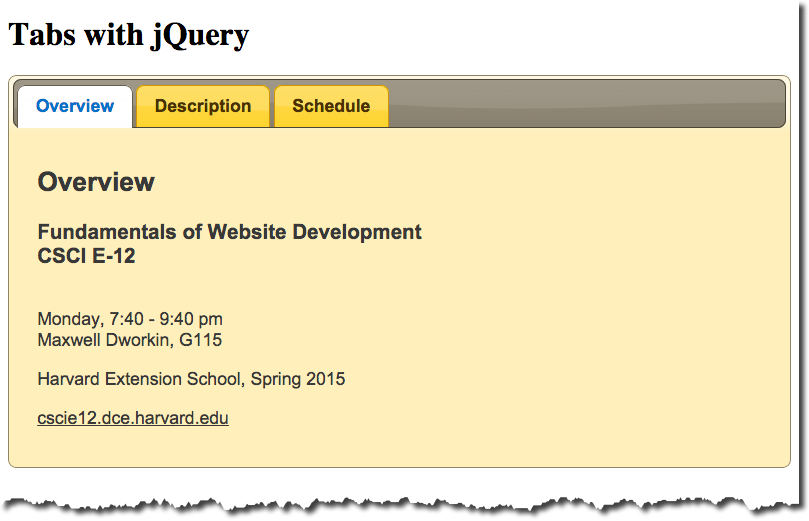
Without JS and CSS: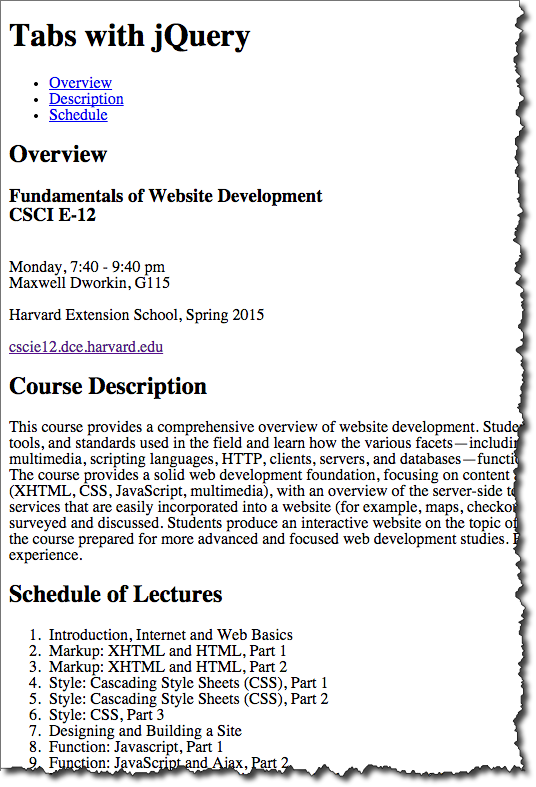
Markup:
<div id="tabs">
    <ul>
      <li><a href="#basic">Overview</a>
      </li>

      <li><a href="#description">Description</a>
      </li>
      <li><a href="#schedule">Schedule</a>
      </li>
    </ul>

    <div id="basic">
      <h2>Overview</h2>
      <h3>Fundamentals of Website Development
        <br/>CSCI E-12</h3>
      <p>Harvard Extension School</p>
      <p><a href="http://cscie12.dce.harvard.edu/">cscie12.dce.harvard.edu</a>
        </p>
        <p><strong>Format: Online (live or on demand) web conference</p>
        <p><strong>Time: </strong>Tuesdays, 8:10-10:10 pm, or on demand</p>
    </div>

    <div id="description">
      <h2>Course Description</h2>
      <p>This course provides a comprehensive overview of website development. Students explore the prevailing vocabulary, tools, and standards used in the field and learn how the various facets—including HTML5, CSS, JavaScript, Ajax, multimedia, scripting languages, HTTP, clients, servers, and databases—function together in today's web environment. The course provides a solid web development foundation, focusing on content and client-side (browser) components (HTML5, CSS, JavaScript, multimedia), with an overview of the server-side technologies. In addition, software and services that are easily incorporated into a website (for example, maps, checkout, blogs, content management) are surveyed and discussed. Students produce an interactive website on the topic of their choice for the final project and leave the course prepared for more advanced and focused web development studies.</div>

    <div id="schedule">
      <h2>Schedule of Lectures</h2>

      <ol>
        <li>Getting Started - Internet, WWW, HTML</li>
        <li>Markup (HTML)</li>
        <li>Markup (HTML) and Style (CSS)</li>
        <li>Style (CSS), Part 2 - Block Model, Colors, Images, Lists</li>
        <li>Style (CSS), Part 3 - CSS and Layouts</li>
        <li>Style (CSS), Part 4 - Techniques and CSS Frameworks</li>
        <li>JavaScript, Part 1 - JS Introduction</li>
        <li>JavaScript, Part 2 - JS and jQuery</li>
        <li>JavaScript, Part 3 - Integrating JS Functionality</li>
        <li>JavaScript, Part 4 - XHR and dynamic pages</li>
        <li>Web Content Management Systems</li>
        <li>Server-Side, Part 1 - Dynamic Content</li>
        <li>Server-Side, Part 2 - HTTP, Web Server Configuration</li>
        <li>Grab Bag of Topics</li>
        <li>Final Project Due and In-Class Presentations (Optional)</li>
</ol>
    </div>
  </div>
JS and CSS:
<link rel="stylesheet"
  href="http://ajax.googleapis.com/ajax/libs/jqueryui/1.12.1/themes/sunny/jquery-ui.css"
   media="all" />
<script src="http://ajax.googleapis.com/ajax/libs/jquery/3.5.1/jquery.min.js"> </script>
<script src="http://ajax.googleapis.com/ajax/libs/jqueryui/1.12.1/jquery-ui.min.js"> </script>
<script>
  $(document).ready(
    function(){
      $('#tabs').tabs();
    }
  );
</script>